Select timelines
Select timelines from different project bins in one scrollable list.
Select timelines across all bins in your Resolve project, choose a render preset and output folder, and queue the complete batch from one focused panel.
Get Batch Export Timelines →Pay what you want · €5 minimum · €10 suggested
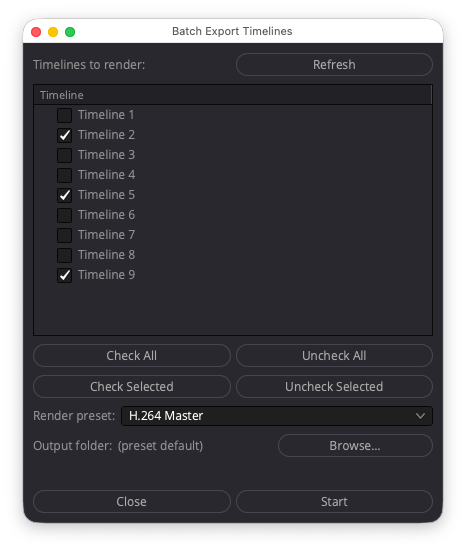
Built for projects where timelines are spread across multiple bins. Review them in one list, choose a preset and destination, and queue the batch without hunting through the Media Pool.
Select timelines from different project bins in one scrollable list.
Pick a saved render preset and, if needed, an output folder.
Add every selection to the Deliver page. Rendering never starts automatically.
Requirements: DaVinci Resolve Studio, 64-bit Python 3.6 or newer, and macOS or Windows. Tested on Resolve Studio 21.0.4 for macOS and Windows.
Clear answers about Resolve’s built-in workflow, compatibility and what the download includes.
Yes. Resolve can queue multiple timelines natively. Batch Export Timelines is built for projects where timelines are spread across different bins, bringing selection, render preset and output folder controls together in one panel.
Yes. The panel gathers timelines from all project bins into one scrollable list, so you can build a batch without opening each bin separately.
No. The tool only adds the selected timelines to the Deliver page. You stay in control of when the render starts.
Yes. Version 1.2.0 is tested with DaVinci Resolve Studio 21.0.4 on macOS and Windows. It requires 64-bit Python 3.6 or newer.
No. The scripting functionality used by the tool requires DaVinci Resolve Studio.
The download includes the tool, clear installation and troubleshooting instructions for macOS and Windows, a personal license key and free updates within version 1.x.